


Happy customer we have world-wide.
Elevate Your Client Onboarding with Onbordin.com
Manual onboarding is slow, prone to error, and risky. Onbordin bridges the gap between efficiency and regulatory rigor. Our platform allows you to create accounts, manage profiles, and execute deep-dive due diligence from a single, intuitive dashboard.
Built for Professionals
Efficiency in Compliance
Enhanced Security and Transparency
Contact us Book a demo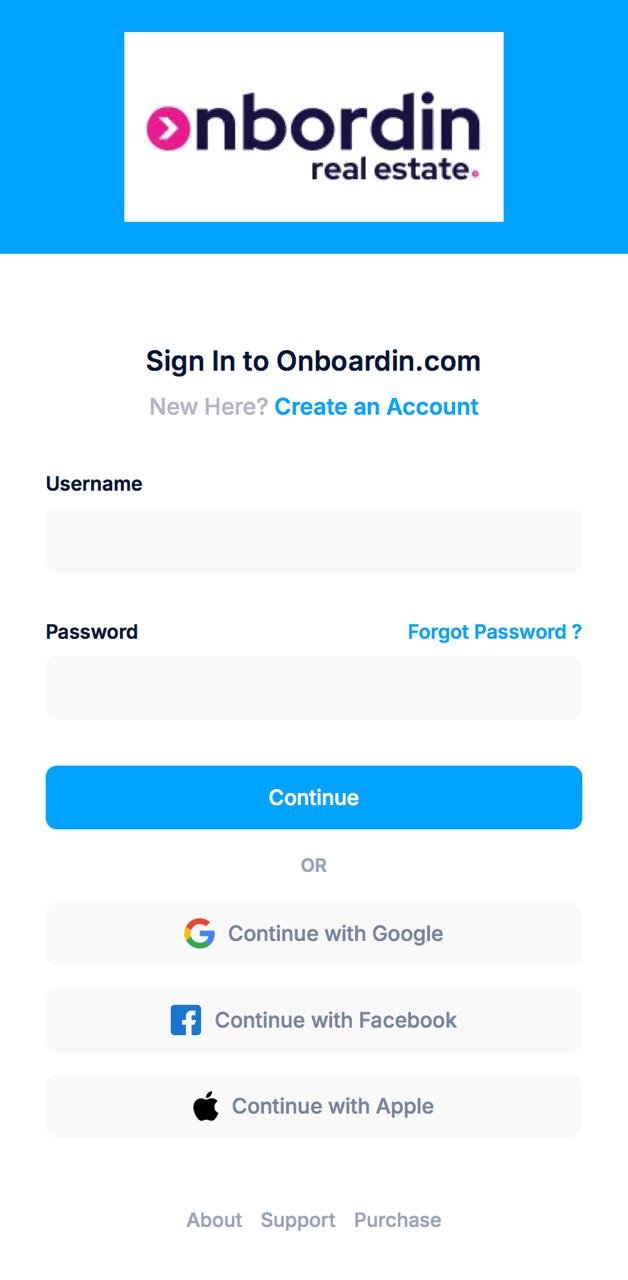

Business Progress
-
Revenue
82% -
Satisfaction
90%
Tailored Smart Questionnaires, Global AML Screening.
Smart Questionnaires
Generic forms don't work for specific industries. Our questionnaire engine is customized for different client types to ensure a smooth, relevant onboarding journey.
- Real Estate: Specific flows for both individual buyers and corporate entities.
- Legal & Accountancy: Dedicated compliance assessments for firms and legal entities.
- User-Centric Design: Clients can easily complete their profiles while you track progress in real-time.
Global AML Screening:
Stay ahead of regulatory requirements with our integrated AML tool. Perform in-depth screening against global sanctions lists, PEP (Politically Exposed Person) databases, and adverse media.
- Comprehensive Coverage: Support your AML/CFT compliance with data-driven insights.
- Batch Processing: Need to screen multiple names? Our system handles bulk requests to save you hours of manual work.


Project overview
click on the below boxes to explore our product
System Overview
Centralized Command Center
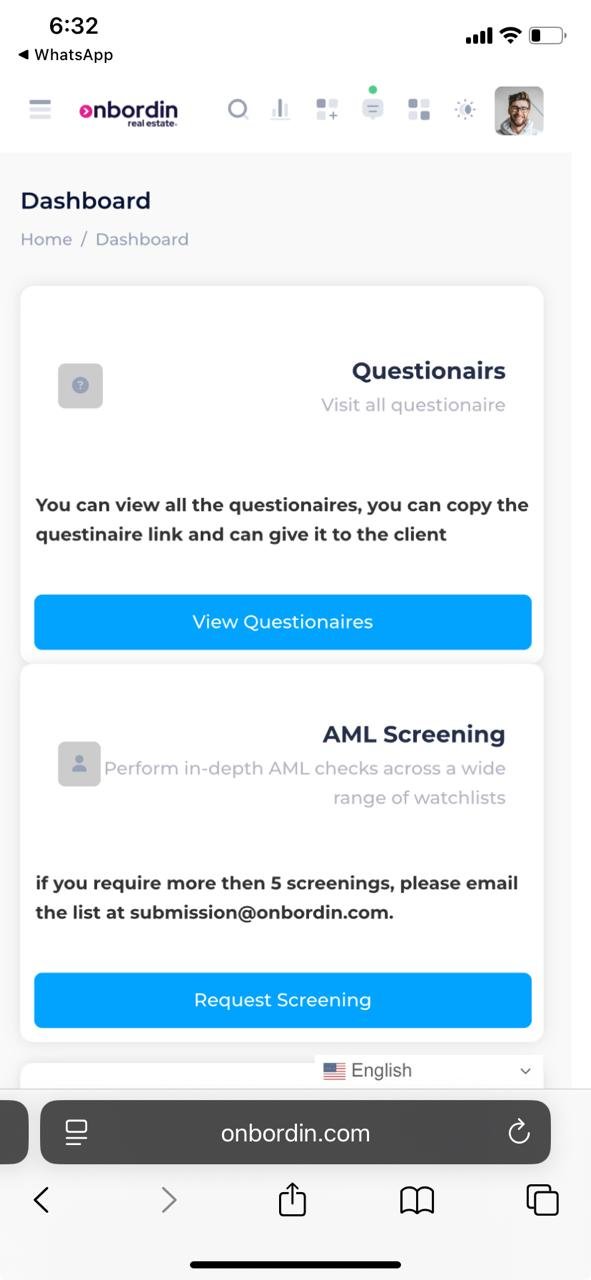
Once authorized, your Dashboard becomes the single source of truth for all onboarding and compliance activities.
Smart Questionnaires
Deploy custom forms and gather client data securely.
Risk Scoring System
Automated risk assessment to keep your operations compliant.
Automated Screening
Initiate and track rigorous screening processes to ensure full regulatory compliance.
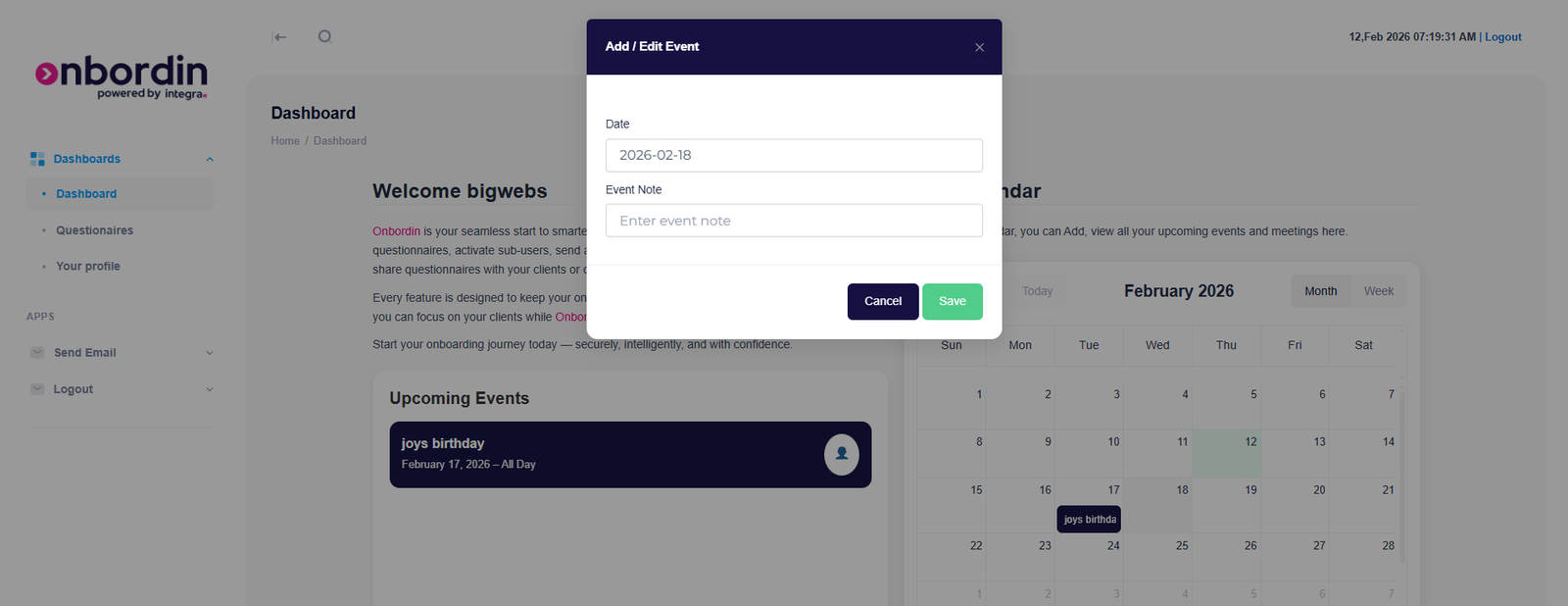
Dynamic Event Calendar
Stay ahead of deadlines with our interactive calendar. Seamlessly add, edit, and track upcoming events, meetings, and compliance milestones.
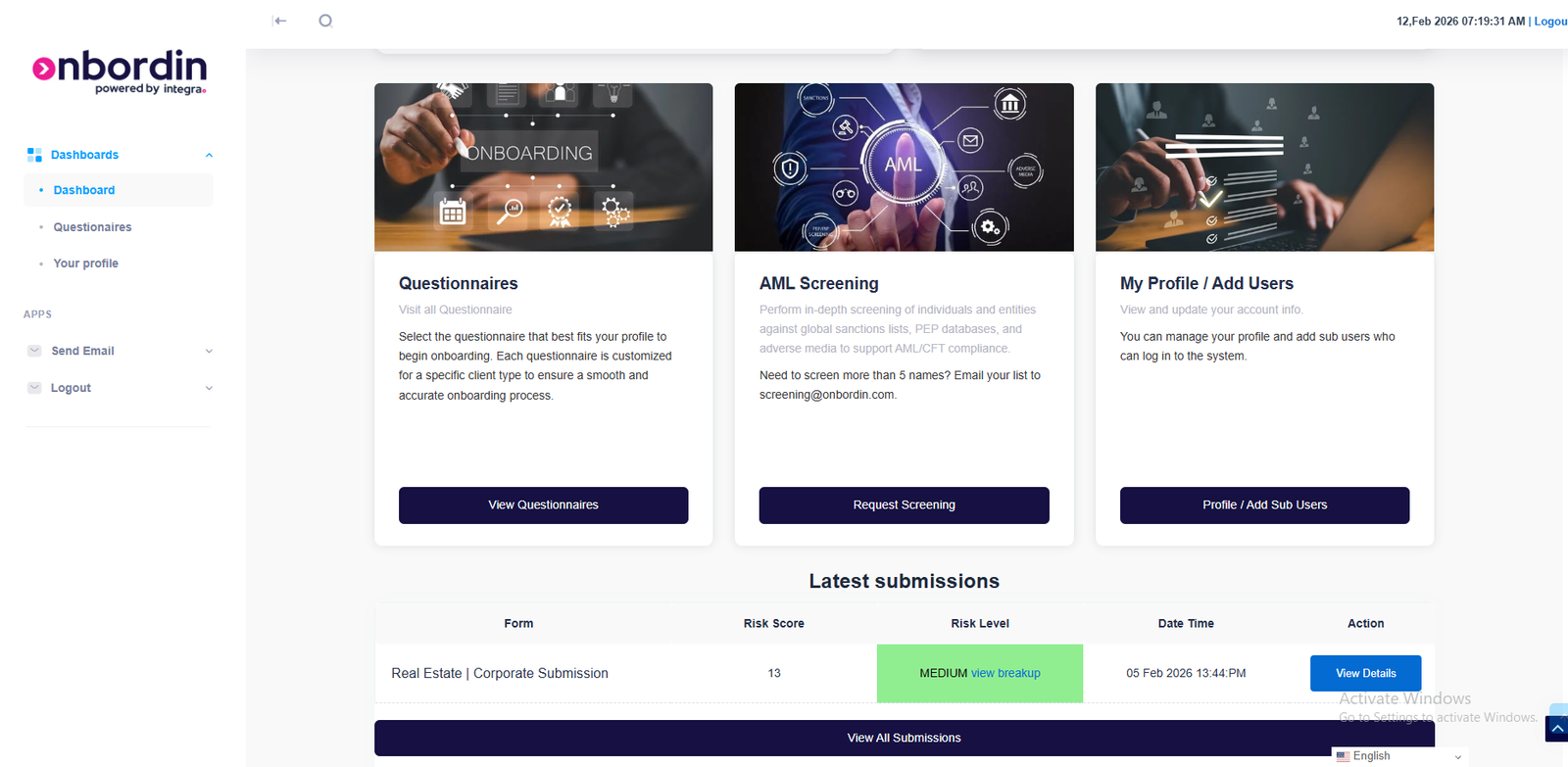
Also in the dashboard you will see the questionaire link.using which you can browse the questionaires , can fill up the questioniare and submit, can request for aml screening and can update/edit your profile
Update profile pic
You can update your profile picture.
Update profile info
You can upload your profile information, can update name, email etc.
Change Password
Can add/manage password from your profile.
Add subusers
You can add as many subusers within the same organization, they will be added a subuser not a main user.
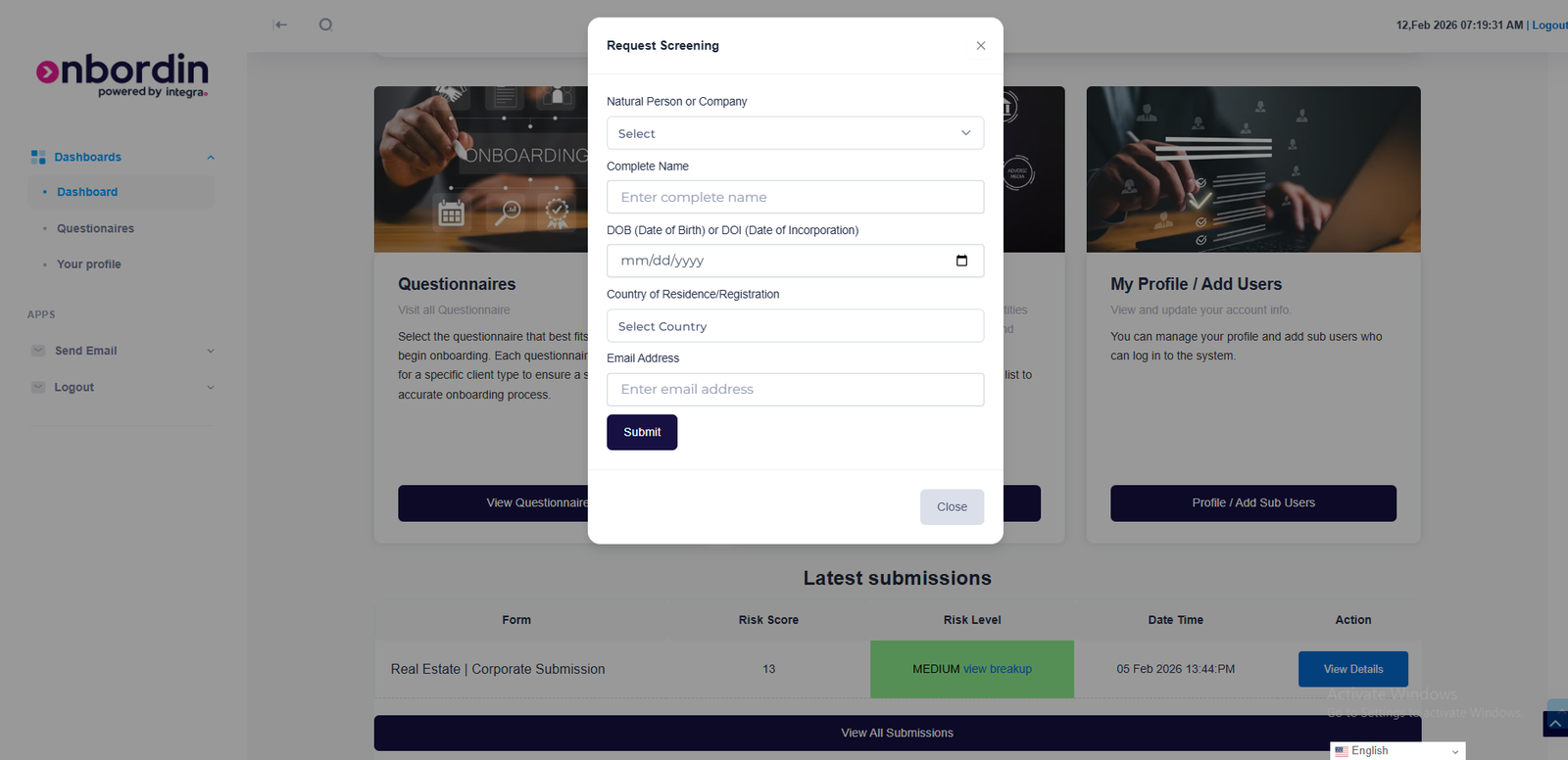
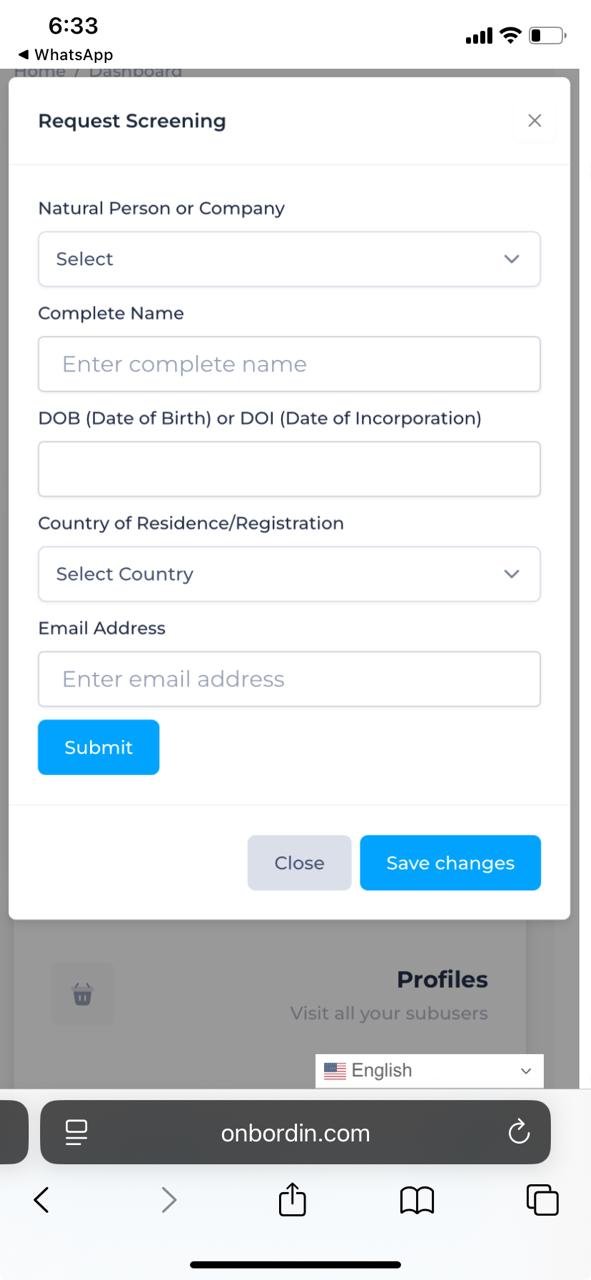
The users can request for screening from the dashboard, they can fill up the details and submit the request, once the request is submitted the user can track the status of the screening request from the dashboard itself.
Bulk screening
For more than 5 users, BULK screening is available.
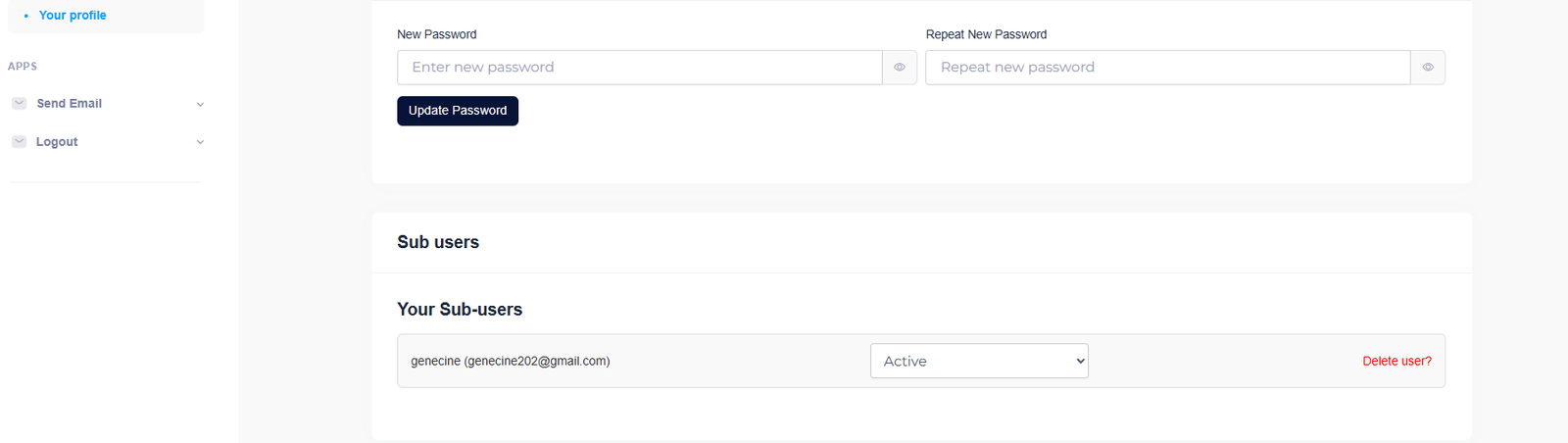
As a lead user of organization , you can add as many subusers , the subusers will be able to login and see the details of your accounts. Like a subuser can see:
Event details
A subuser can see a event created by main user, can edit/delete the event.create a new event etc
Questioniare entries
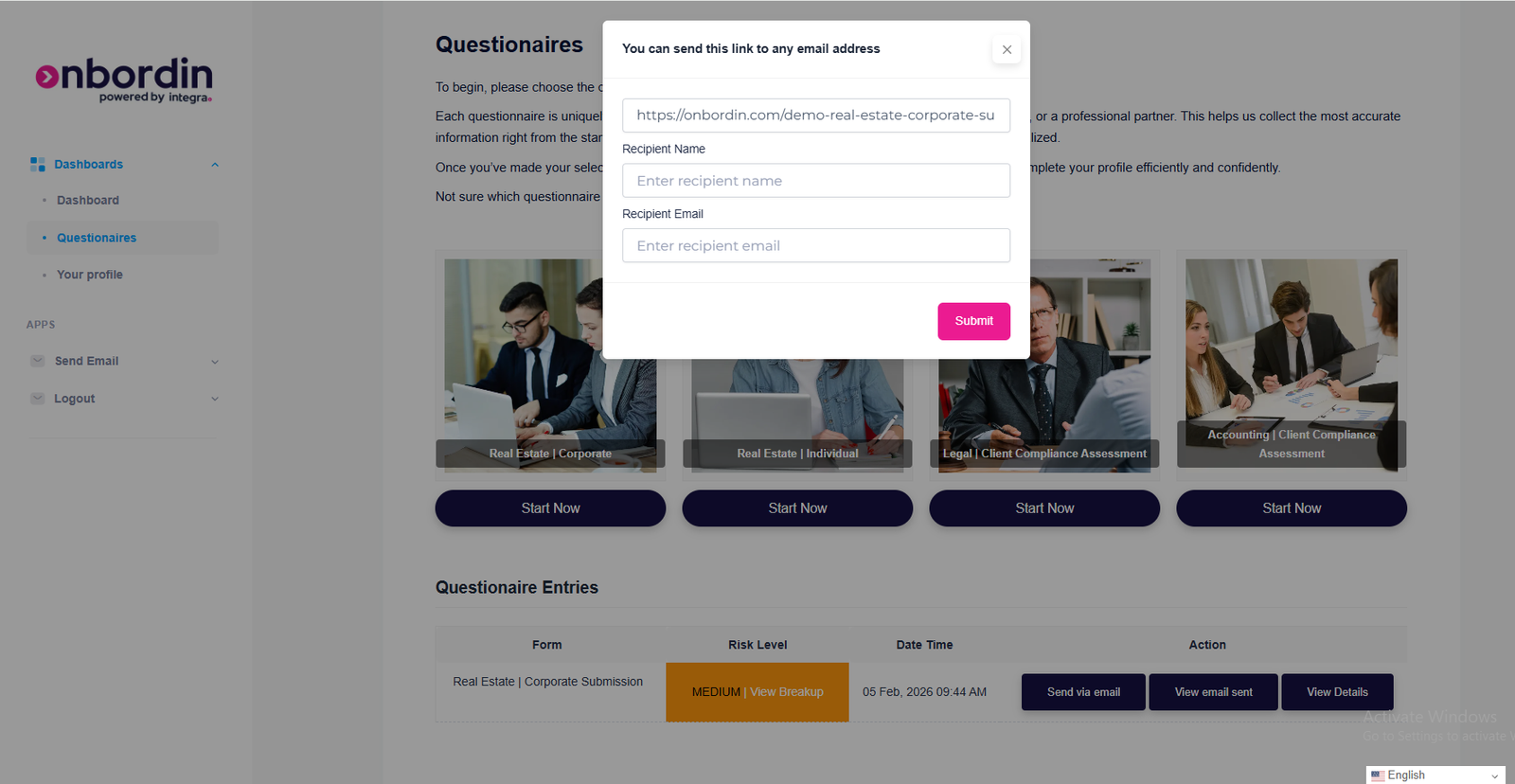
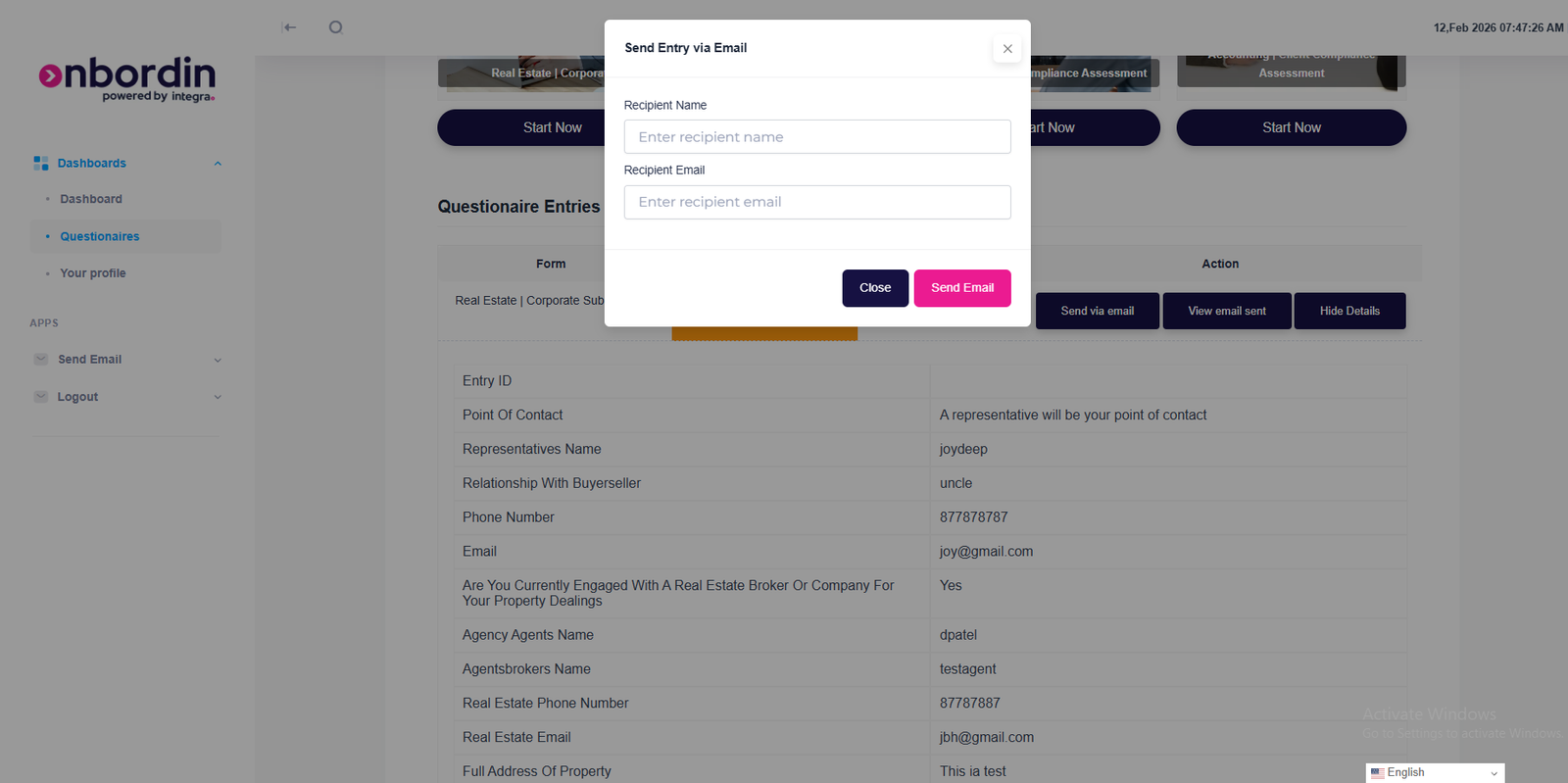
A subuser can send somebody the questioniare link and can see questioniare entries like the main user
Update profile
A subuser up-date their profile picture, can add details of their own.
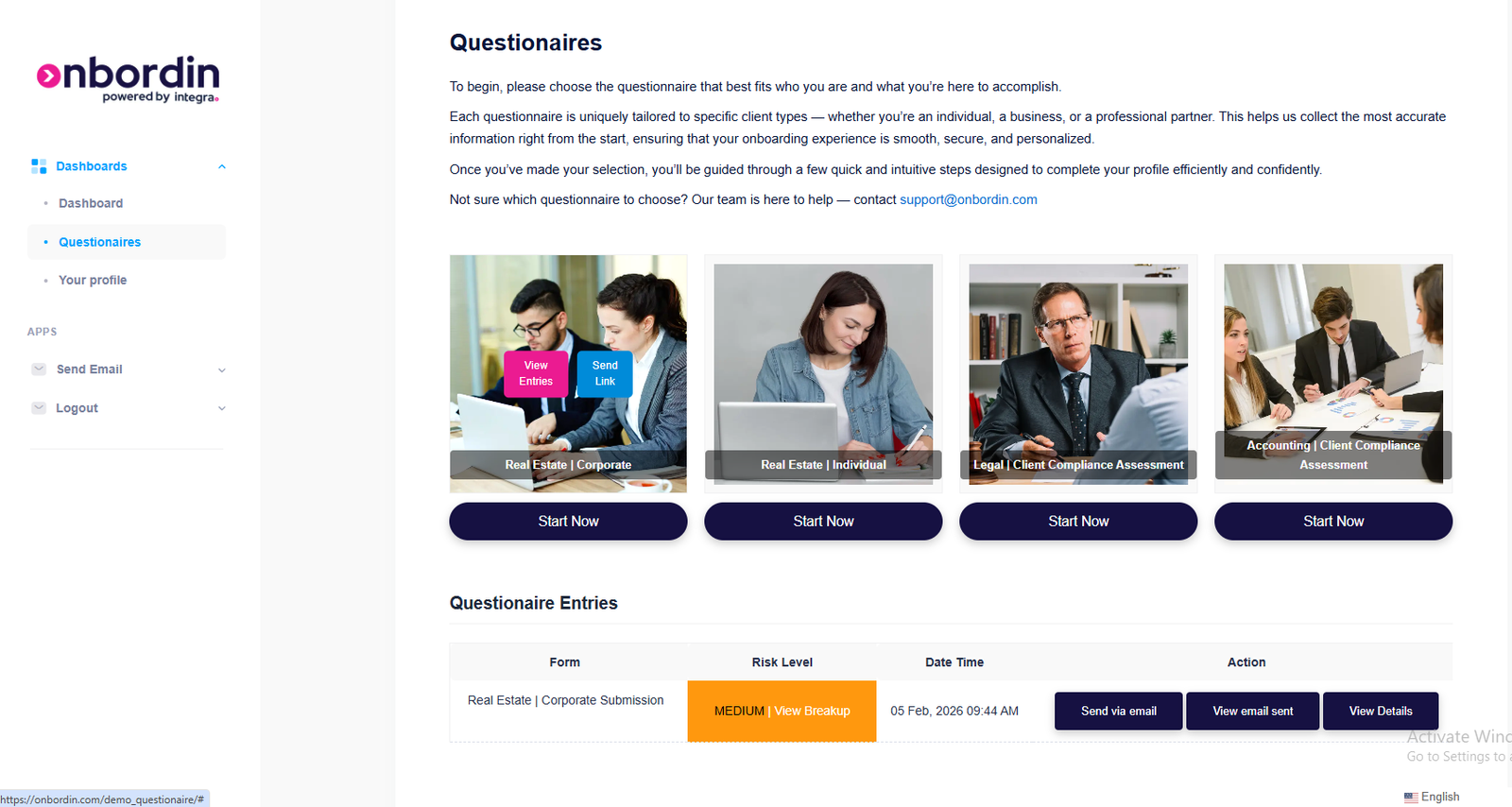
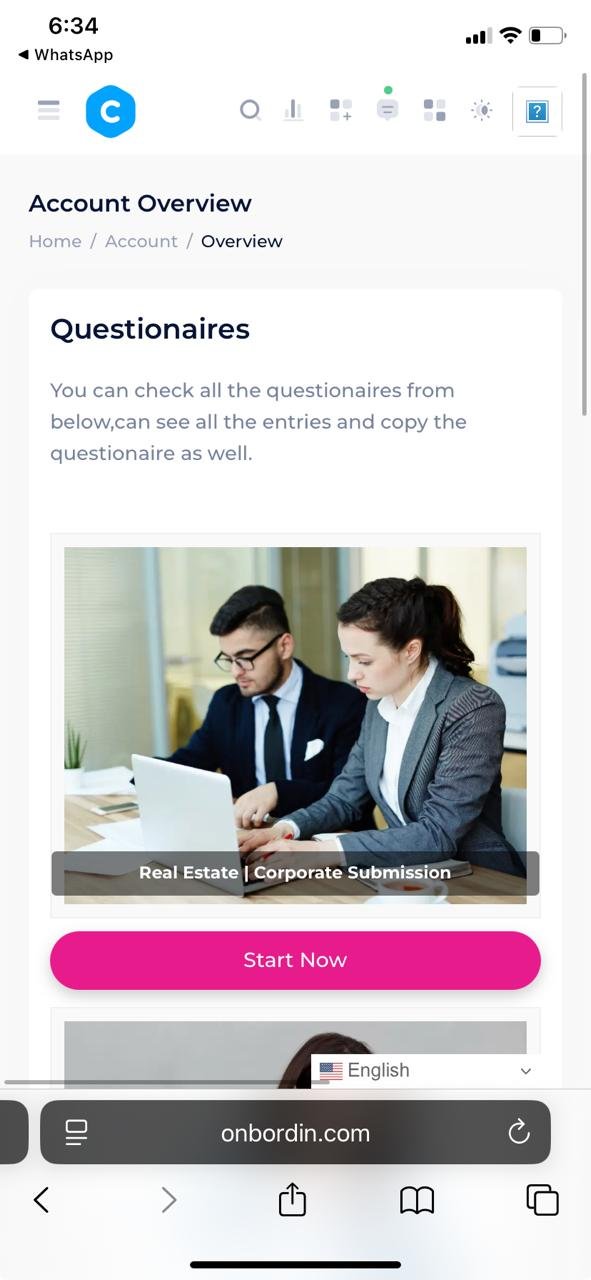
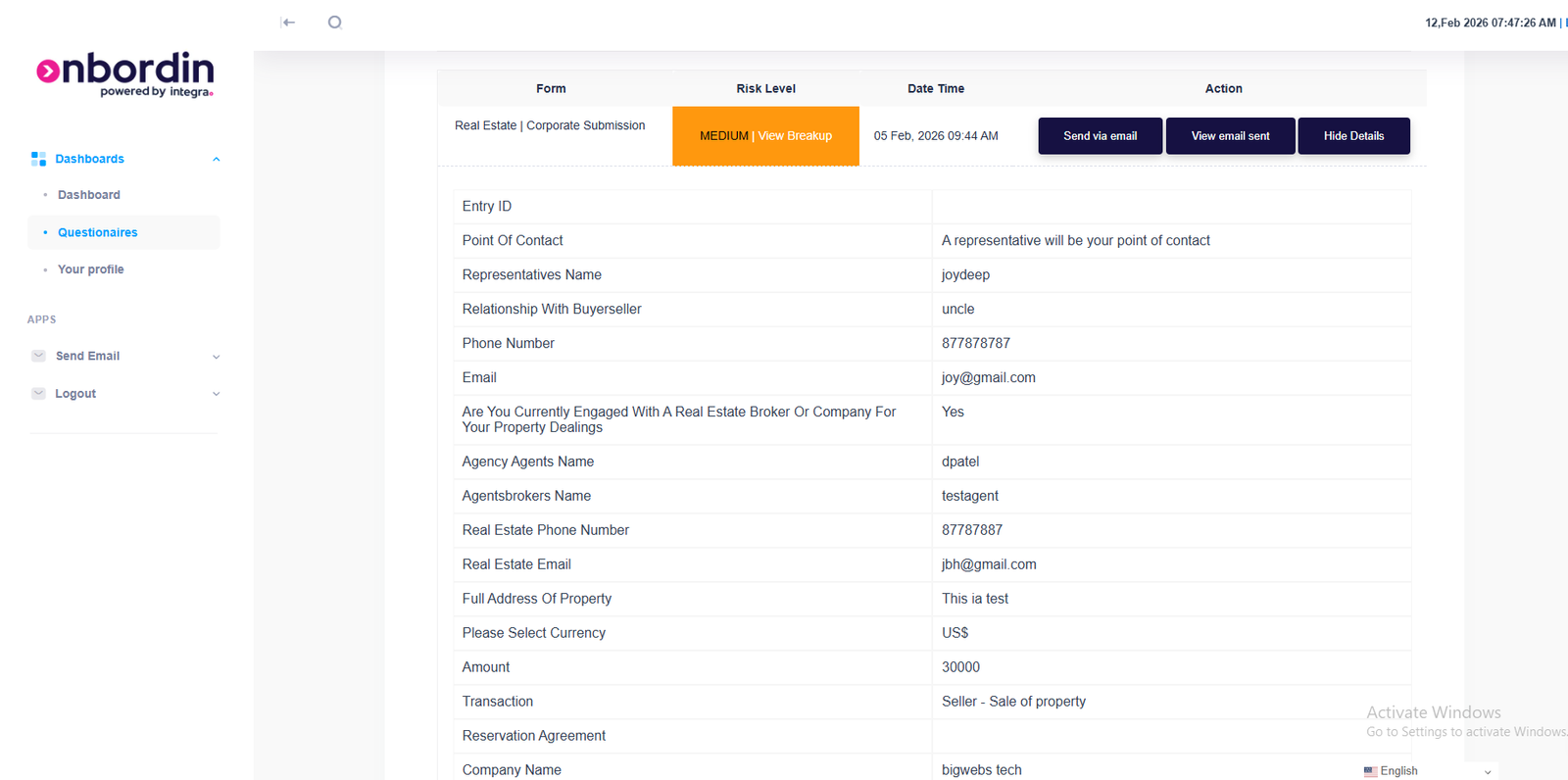
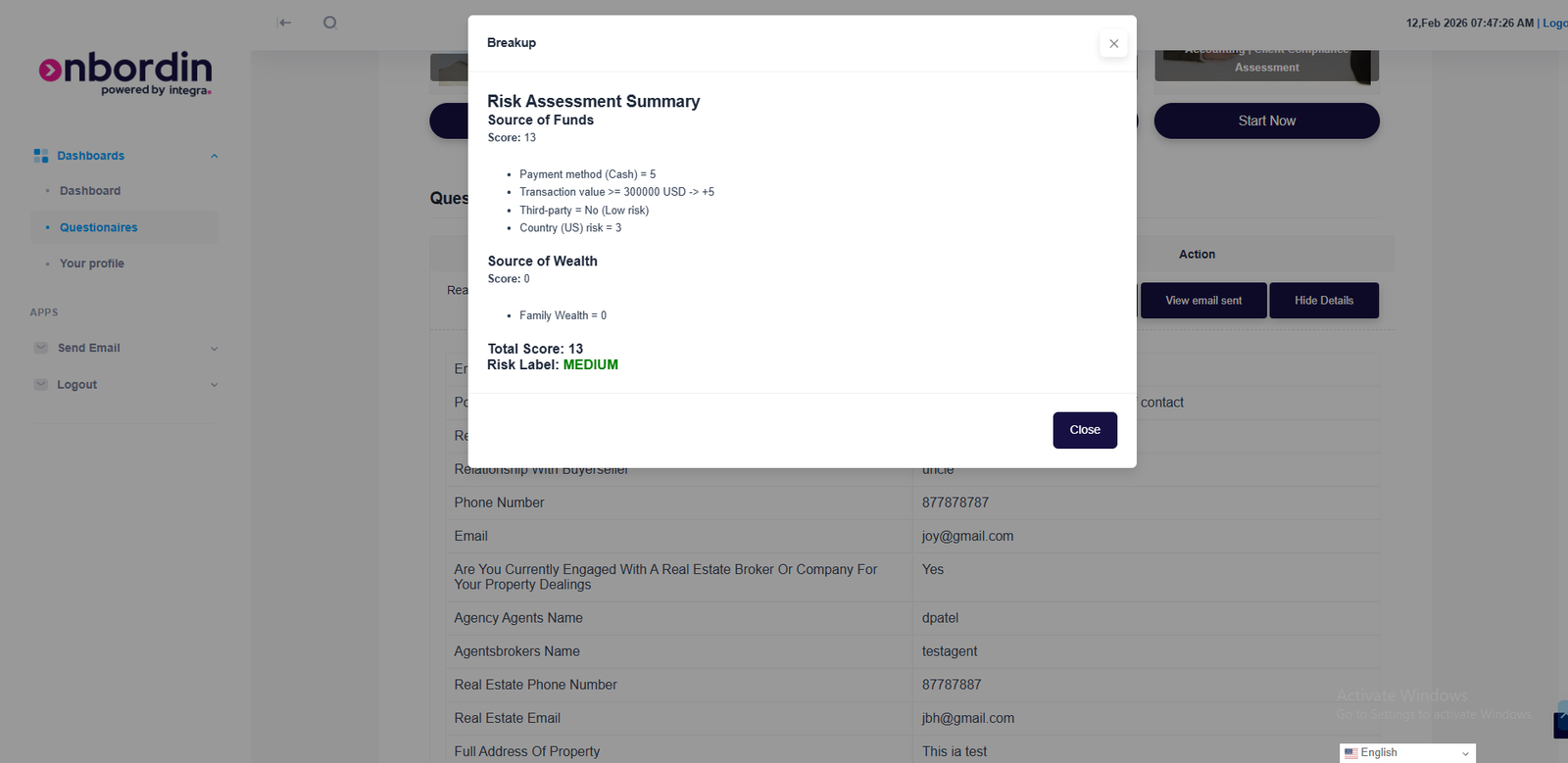
Here comes the most important part of the system questionare we h we have multiple questionaires like real estate, legal and accountancy etc. each questioniare is designed according to the industry standards and requirements. the users can fill up the questionaire and submit it, they can also see the details of the questionaire entries like what are the answers to each question, what is the risk score of each entry etc.
Real esate/ corporate
Real estate questioniares are designed for the real estate industry, they have specific questions related to the real estate industry like property details, ownership details, source of funds etc. corporate questionaires are designed for the corporate clients, they have specific questions related to the corporate clients like company details, directors details, shareholders details etc. the users can fill up the questionaire and submit it, they can also see the details of the questionaire entries like what are the answers to each question, what is the risk score of each entry etc.
Real esate/ individual
Real estate individuals are designed for invividuals having specific questions related to the real estate industry,
Legal/ Client compliance assesment
.
Select Your Plan
Choose the command center configuration that fits your needs.
Starter Package
- Access to Activity Calendar
- Basic Onboarding Flows
- Standard Reporting
- 5 Team Members
- Email Support
Corporate Package
- All Starter Features
- Advanced Risk Scoring (3-18)
- Full Status Tracking Command Center
- Unlimited Team Members
- 24/7 Dedicated Support
Your Centralized Command Center .
Activity Calendar
Keep track of upcoming meetings and onboarding deadlines.
Latest Submissions
Monitor recent forms, view risk scores (e.g., scores ranging from 3 to 18), and dive into specific "View Details" for every client.
Status Tracking
See at a glance which clients have "Viewed Email" or "Sent Link" for their questionnaires..


Get in Touch
Have questions about our compliance and onboarding solutions? Fill out the form below.